
Spam is unsolicited messaging, often commercial. Phishing is deception designed to obtain credentials, money, access or code execution. Spam can be harmful, but suspected phishing should be treated as a security signal.
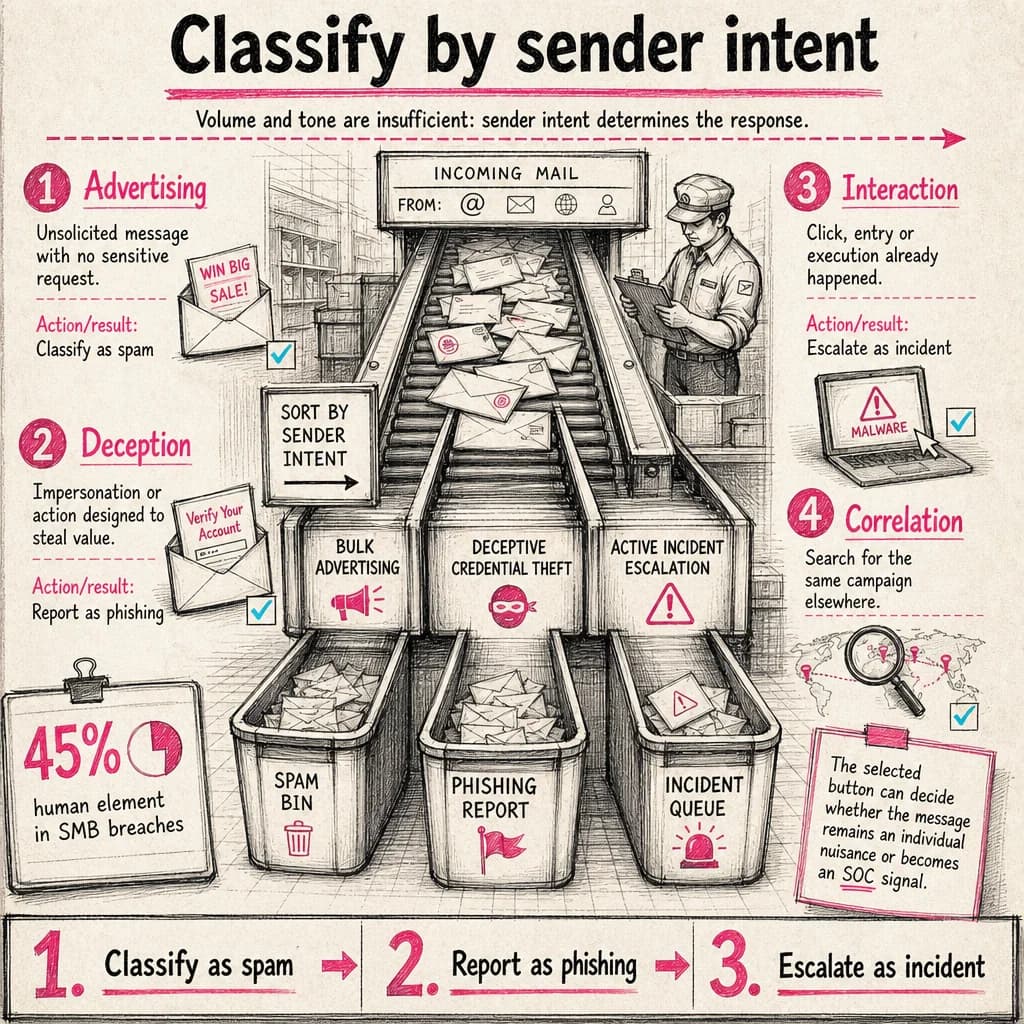
human element in SMB breaches
The SMB analysis in the 2026 DBIR attributes a human element to 45% of observed breaches. Defense must combine process, identity, email controls and reporting.
Verizon — 2026 Data Breach Investigations ReportThe sender’s objective defines the difference
An unsolicited promotion is usually spam. A fake helpdesk message requesting sign-in is phishing. Some messages wear both disguises, such as a fake promotion that steals payment data.
Do not classify by tone or volume alone. Ask what the sender gains if the recipient follows the instruction.
Why the reporting button matters
Marking phishing as junk may train a personal filter without triggering the security workflow. Reporting phishing can submit the message and metadata to the security team, platform provider or both, depending on configuration.
Organizations should document the exact path in each email client and provide a backup channel.
A simple decision model
Unwanted promotion without a sensitive request: spam. Impersonation, sign-in link, unexpected attachment or payment request: possible phishing. Extortion or completed interaction: escalate as an incident.
- Spam: block or unsubscribe carefully
- Phishing: report and do not interact
- Interaction: contact support or SOC immediately
Measure the complete security loop
Track report quality, reporting time and related messages removed. Raw click rate is incomplete; maturity improves when employees report earlier and describe what happened accurately.
Operational decision matrix
| Stage | Question to resolve | Expected outcome |
|---|---|---|
| Advertising | Unsolicited message with no sensitive request. | Classify as spam |
| Deception | Impersonation or action designed to steal value. | Report as phishing |
| Interaction | Click, entry or execution already happened. | Escalate as incident |
Why classification matters
The selected button can decide whether the message remains an individual nuisance or becomes an SOC signal.
The right control level depends on context, exposed assets and business impact: document assumptions, measure the outcome and reassess after every material change.
Turn uncertainty into a structured investigation
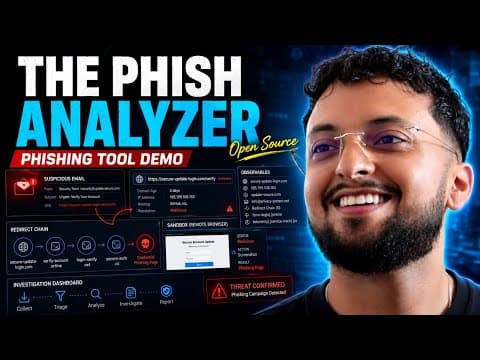
The Phish Analyzer brings suspicious-email triage, indicator extraction and the investigation pivots a security analyst or SOC team needs into one workbench.
- Import and parse RFC822 or EML messages: headers, authentication, URLs, domains, addresses and attachments.
- Investigate URLs, domains and files with configurable OSINT enrichment and reputation signals.
- Open links in an isolated remote browser, preserving screenshots and traces as case evidence.
 Watch the full demonstration
Frequently asked questions
Is an unwanted newsletter phishing?
Not necessarily. It becomes suspicious when it impersonates someone or requests sensitive information or action.
Is it safe to click unsubscribe?
Avoid it for an untrusted sender: the link may validate your address or open a malicious site.
Why report instead of delete?
Reporting gives defenders evidence to find and neutralize the campaign elsewhere.
Official sources
Achraf Hachimi
CISSP-certified Senior SOC / CSIRT Engineer specializing in Incident Response, Threat Hunting and Detection Engineering. Eight years of experience in critical environments with Splunk ES, Microsoft Defender XDR, SentinelOne and Cybereason.