
To detect a phishing email, assess the real sender identity, link destination, unusual nature of the request, pressure tactics and business context together. Correct branding and clean writing prove nothing: a safe decision rests on several consistent signals.
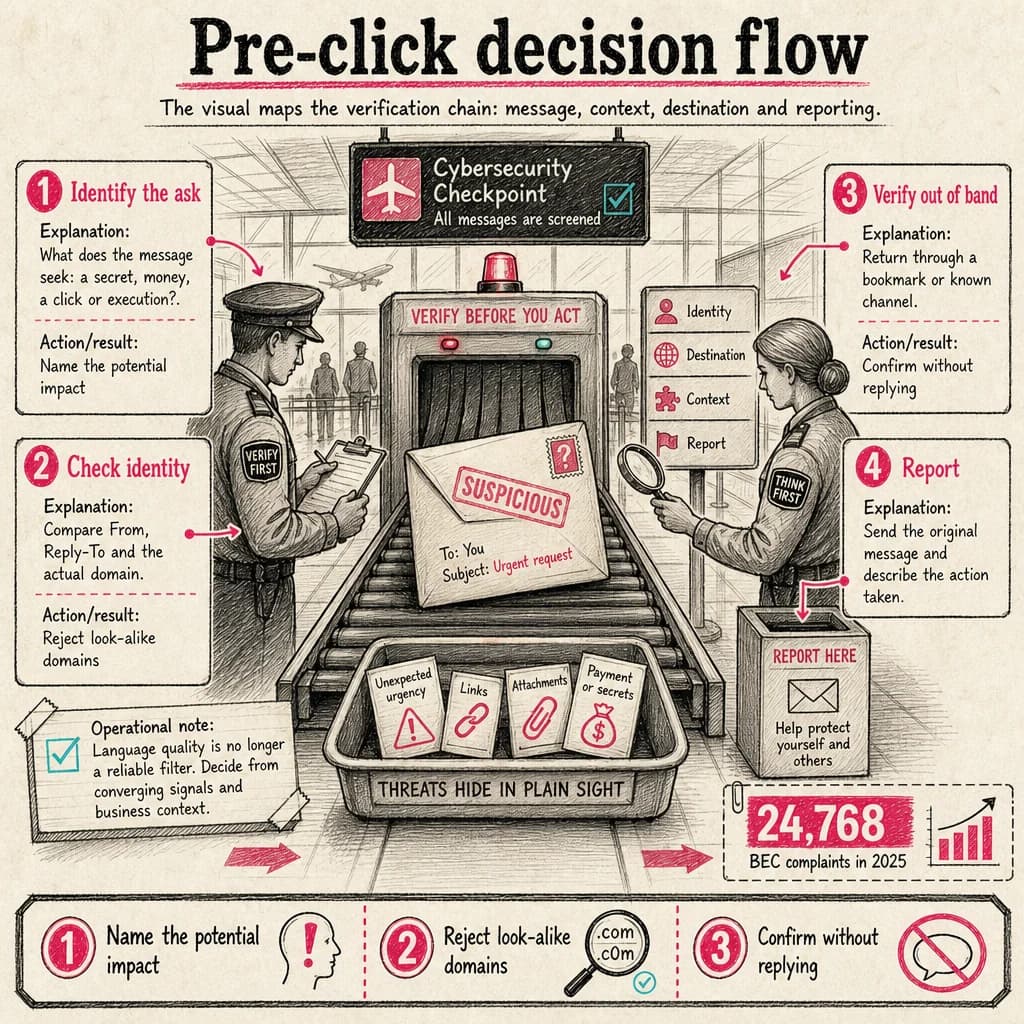
BEC complaints in 2025
The FBI received 24,768 Business Email Compromise complaints, with more than $3.0 billion in reported losses. This measures reports received, not every attack that occurred.
FBI — 2025 Internet Crime ReportThe signals that deserve your attention
Modern campaigns copy brands accurately and write convincing messages. Look for an operational inconsistency instead: a lookalike domain, a different reply-to address, an unexpected attachment, a shortened link, a sudden process change or a request that bypasses normal validation.
Urgency is an amplifier, not proof. Risk rises when urgency is combined with secrecy and an irreversible action such as sending funds, sharing an MFA code, opening a protected document or changing bank details.
- Expand the full sender and Reply-To
- Preview links without opening them
- Confirm through a known channel
- Never share passwords or MFA codes
A seven-check verification routine
Identify what the message wants: credentials, money, code execution or a new session. Compare the visible and actual domain, inspect the destination, ask whether this sender normally uses the channel and confirm the facts independently.
On mobile, where addresses and links are shortened, postpone the action if details cannot be displayed. Open the service from a trusted bookmark or typed address instead of the button in the message.
- Requested outcome
- Actual address
- Actual destination
- Expected context
- Independent confirmation
- Impact of a mistake
- Report before deletion
What to do in the first ten minutes after a click
Stop interacting with the page. Disconnect the device from the network if a file ran, then contact support or the SOC with the time, subject and exact action. If credentials were entered, change the password from a clean device and revoke active sessions under the incident procedure.
Fast reporting lets defenders find related messages, block infrastructure and identify other interactions. Quiet deletion protects one inbox; reporting can protect the organization.
What the SOC should preserve and correlate
Connect the original email to identity, proxy, DNS and endpoint telemetry. Full headers, normalized URLs, attachment hashes, click time and subsequent authentication events create a reliable timeline.
The playbook should distinguish delivery, click, credential entry and execution. Each state requires a different containment decision.
Operational decision matrix
| Stage | Question to resolve | Expected outcome |
|---|---|---|
| Identify the ask | What does the message seek: a secret, money, a click or execution? | Name the potential impact |
| Check identity | Compare From, Reply-To and the actual domain. | Reject look-alike domains |
| Verify out of band | Return through a bookmark or known channel. | Confirm without replying |
Operational reading
Language quality is no longer a reliable filter. Decide from converging signals and business context.
The right control level depends on context, exposed assets and business impact: document assumptions, measure the outcome and reassess after every material change.
Turn uncertainty into a structured investigation
The Phish Analyzer brings suspicious-email triage, indicator extraction and the investigation pivots a security analyst or SOC team needs into one workbench.
- Import and parse RFC822 or EML messages: headers, authentication, URLs, domains, addresses and attachments.
- Investigate URLs, domains and files with configurable OSINT enrichment and reputation signals.
- Open links in an isolated remote browser, preserving screenshots and traces as case evidence.
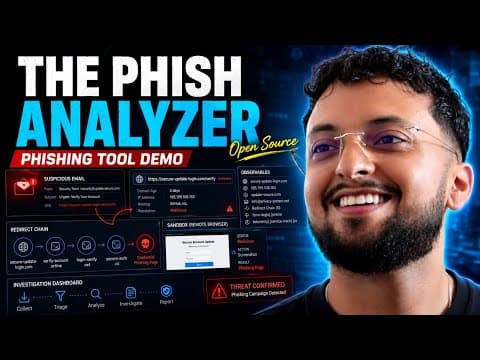 Watch the full demonstration
Frequently asked questions
Can a well-written email still be phishing?
Yes. Writing quality is not a reliable control. Validate the domain, destination, request and context.
Should I reply to verify the sender?
No. Use a known phone number, bookmark or established channel outside the suspicious conversation.
Should I delete the email immediately?
Report it through the approved mechanism first, then follow your organization’s deletion guidance.
Official sources
Achraf Hachimi
CISSP-certified Senior SOC / CSIRT Engineer specializing in Incident Response, Threat Hunting and Detection Engineering. Eight years of experience in critical environments with Splunk ES, Microsoft Defender XDR, SentinelOne and Cybereason.