
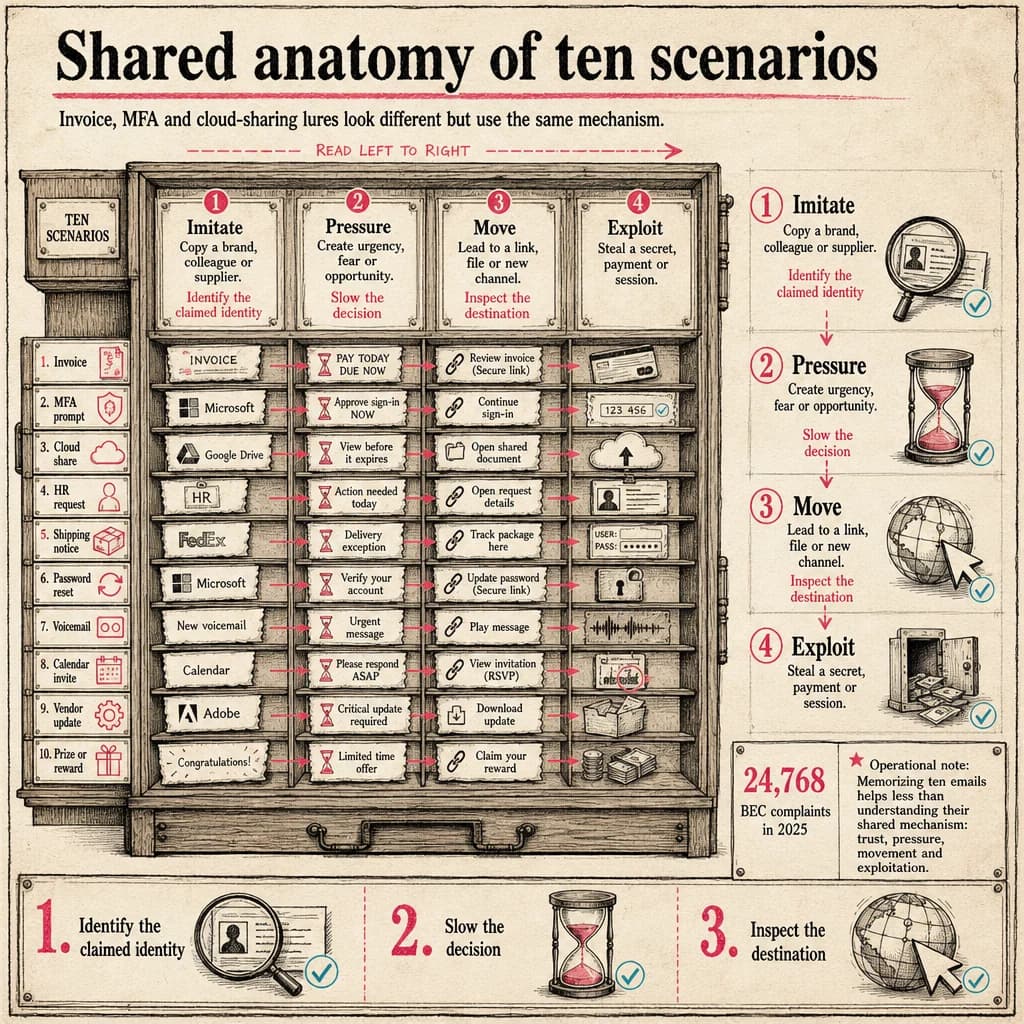
Common phishing emails imitate Microsoft 365 sign-ins, invoices, shared files, deliveries, HR notices or executives. They all try to trigger action before the recipient validates the context through an independent channel.
BEC complaints in 2025
The FBI received 24,768 Business Email Compromise complaints, with more than $3.0 billion in reported losses. This measures reports received, not every attack that occurred.
FBI — 2025 Internet Crime ReportAccount and security lures
Fake password-expiry and MFA alerts lead to cloned sign-in pages. The decisive clue is the real destination behind a convincing button. Open the portal from your normal bookmark and inspect alerts inside the product.
- Password expires today
- Unusual sign-in needs confirmation
- Mailbox quota exceeded
Payments, invoices and bank changes
An unexpected invoice may carry an archive or ask for macros. A bank-detail change attempts to redirect a legitimate payment. Validate the purchase order in the ERP and call a supplier contact using an existing number.
- Urgent invoice attachment
- New supplier bank details
- Confidential executive payment
Cloud sharing, HR and deliveries
Fake shared documents imitate Microsoft 365, Google Drive or DocuSign. HR lures promise a bonus or policy update. Delivery messages ask for a small fee. Each moves the user to an external page to collect information.
- Protected document
- Payroll update
- Parcel fee
- Teams invite from an unknown tenant
Turn examples into durable judgment
Each example should teach a transferable rule: inspect the destination, validate a process change and report without shame. Refresh training with campaigns the organization actually receives.
Avoid punitive simulations. The useful outcome is a shorter delay between doubt and reporting, giving defenders time to remove a campaign before more clicks.
Operational decision matrix
| Stage | Question to resolve | Expected outcome |
|---|---|---|
| Imitate | Copy a brand, colleague or supplier. | Identify the claimed identity |
| Pressure | Create urgency, fear or opportunity. | Slow the decision |
| Move | Lead to a link, file or new channel. | Inspect the destination |
Transferable lesson
Memorizing ten emails helps less than understanding their shared mechanism: trust, pressure, movement and exploitation.
The right control level depends on context, exposed assets and business impact: document assumptions, measure the outcome and reassess after every material change.
Turn uncertainty into a structured investigation
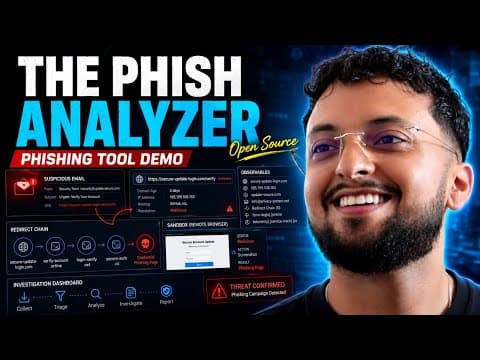
The Phish Analyzer brings suspicious-email triage, indicator extraction and the investigation pivots a security analyst or SOC team needs into one workbench.
- Import and parse RFC822 or EML messages: headers, authentication, URLs, domains, addresses and attachments.
- Investigate URLs, domains and files with configurable OSINT enrichment and reputation signals.
- Open links in an isolated remote browser, preserving screenshots and traces as case evidence.
 Watch the full demonstration
Frequently asked questions
Which phishing example is most dangerous?
The one that matches an expected activity and leads to a high-impact action such as payment or authentication.
Is a PDF attachment safe?
No. A PDF can include malicious links or exploit software. Context and provenance matter more than format.
How should teams train without blame?
Use realistic scenarios, explain the signals and reward rapid reporting, including after a click.
Official sources
Achraf Hachimi
CISSP-certified Senior SOC / CSIRT Engineer specializing in Incident Response, Threat Hunting and Detection Engineering. Eight years of experience in critical environments with Splunk ES, Microsoft Defender XDR, SentinelOne and Cybereason.